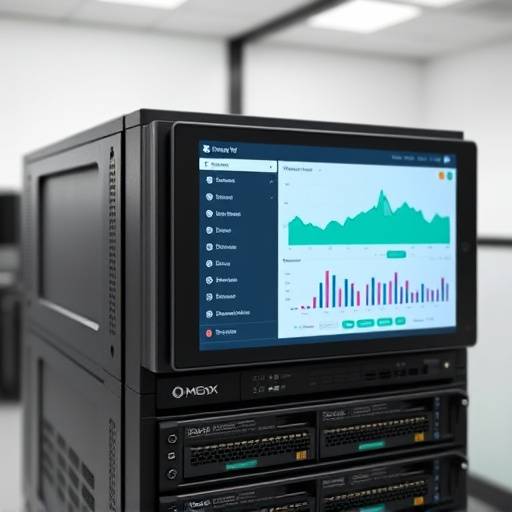
Welcome to Apex Virtual Solutions
At Apex Virtual Solutions, located in the heart of Seattle's tech corridor, we specialize in providing cutting-edge virtualization solutions using Proxmox Virtual Environment (VE). Our team of certified Proxmox experts, led by Senior Architect Elias Vance, is dedicated to helping businesses of all sizes leverage the power and flexibility of Proxmox to optimize their server infrastructure and reduce operational costs.
Whether you're looking to consolidate your servers, improve resource utilization, or build a robust and scalable cloud environment, Apex Virtual Solutions has the expertise and experience to guide you every step of the way. We offer a range of services, including Proxmox installation, configuration, migration, training, and ongoing support.
What is Proxmox Virtual Environment (VE)?
Proxmox VE is a powerful open-source server virtualization platform based on Debian Linux. It integrates KVM hypervisor and LXC containers, allowing you to run virtual machines and containers on a single platform. Proxmox VE provides a web-based interface for managing your virtualized infrastructure, making it easy to create, configure, and monitor virtual machines and containers.
Unlike proprietary virtualization solutions that often come with hefty licensing fees, Proxmox VE is completely free to use. This makes it an ideal choice for businesses looking to reduce their IT expenses without sacrificing performance or functionality. Furthermore, Proxmox VE's active community and extensive documentation ensure that you have access to the resources you need to succeed.
Key Features of Proxmox VE
- KVM Virtualization: Run virtual machines with near-native performance using the Kernel-based Virtual Machine (KVM) hypervisor.
- LXC Containers: Deploy lightweight containers for efficient resource utilization and rapid application deployment.
- Web-Based Management: Manage your entire virtualized infrastructure through a user-friendly web interface.
- High Availability (HA): Ensure business continuity with Proxmox VE's built-in HA features, which automatically migrate virtual machines to another node in the event of a server failure.
- Live Migration: Migrate virtual machines between physical servers without any downtime.
- Backup and Restore: Protect your data with Proxmox VE's integrated backup and restore capabilities.
- Firewall: Secure your virtualized environment with Proxmox VE's built-in firewall.
- Role-Based Access Control (RBAC): Control access to your Proxmox VE environment with granular role-based permissions.
- REST API: Integrate Proxmox VE with other systems and automate tasks using the REST API.
Benefits of Using Proxmox VE
- Cost Savings: Reduce IT expenses by consolidating servers and eliminating licensing fees.
- Improved Resource Utilization: Maximize the use of your hardware resources by running multiple virtual machines and containers on a single physical server.
- Increased Agility: Quickly deploy new applications and services using virtual machines and containers.
- Enhanced Scalability: Easily scale your infrastructure to meet changing business needs.
- Simplified Management: Manage your entire virtualized environment through a single web interface.
- High Availability: Ensure business continuity with built-in HA features.
- Security: Protect your data and applications with Proxmox VE's integrated firewall and security features.
Proxmox VE Use Cases
- Server Consolidation: Consolidate multiple physical servers onto a single Proxmox VE server, reducing hardware costs and energy consumption.
- Development and Testing: Create isolated environments for developing and testing applications.
- Disaster Recovery: Replicate virtual machines to a remote site for disaster recovery purposes.
- Cloud Computing: Build a private cloud infrastructure using Proxmox VE.
- Virtual Desktop Infrastructure (VDI): Deploy virtual desktops to provide users with remote access to their applications and data.
- Running legacy applications: Run outdated systems in a controlled virtual environment.
System Requirements for Proxmox VE
The minimum system requirements for Proxmox VE are as follows:
| Component | Requirement |
|---|---|
| CPU | 64-bit CPU with Intel VT-x/AMD-V support |
| RAM | 2 GB minimum, 8 GB or more recommended |
| Storage | 32 GB minimum, SSD recommended |
| Network | Network interface card (NIC) |
For production environments, it is recommended to use higher specifications to ensure optimal performance and stability. For example, a multi-core CPU, 16 GB or more of RAM, and redundant storage (RAID) are highly recommended.
Getting Started with Proxmox VE
- Download Proxmox VE: Download the latest Proxmox VE ISO image from the official Proxmox website: https://www.proxmox.com/en/downloads
- Install Proxmox VE: Boot from the ISO image and follow the on-screen instructions to install Proxmox VE on your server.
- Configure Network Settings: Configure the network settings for your Proxmox VE server.
- Access the Web Interface: Access the Proxmox VE web interface by opening a web browser and navigating to the IP address of your Proxmox VE server.
- Create Virtual Machines and Containers: Use the web interface to create and configure virtual machines and containers.
- Explore Proxmox VE Documentation: Consult the Proxmox VE documentation for detailed information on how to use all of the features of Proxmox VE: https://pve.proxmox.com/wiki/
Apex Virtual Solutions also offers comprehensive Proxmox VE training courses for beginners and advanced users. Contact us at info@apexvirtualsolutions.com or call us at (206) 555-0123 to learn more.
Our Expertise in Proxmox Virtualization
Apex Virtual Solutions has a proven track record of successfully implementing Proxmox VE solutions for a wide range of clients in the Seattle area and beyond. Our team has extensive experience in all aspects of Proxmox VE, from initial installation and configuration to ongoing maintenance and support.
We pride ourselves on our commitment to providing our clients with the highest level of service and support. We work closely with each client to understand their specific needs and develop a customized Proxmox VE solution that meets their requirements. Our consultants, like Sarah Chen, a certified Proxmox engineer, are always available to answer your questions and provide expert guidance.
We also offer a range of managed services to help our clients get the most out of their Proxmox VE environment. These services include:
- Proxmox VE Installation and Configuration
- Virtual Machine and Container Migration
- Proxmox VE Training
- Ongoing Support and Maintenance
- Proxmox VE Security Hardening
- Disaster Recovery Planning and Implementation
Contact Apex Virtual Solutions today to learn how we can help you leverage the power of Proxmox VE to optimize your server infrastructure and reduce operational costs. Our office is located at 1200 5th Ave, Suite 1800, Seattle, WA 98101.
Proxmox VE and Security
Security is paramount in any virtualization environment. Proxmox VE offers various security features to protect your virtual machines and containers, including a built-in firewall, role-based access control, and support for two-factor authentication. Furthermore, keeping Proxmox VE up-to-date with the latest security patches is crucial for mitigating potential vulnerabilities.
Apex Virtual Solutions offers security hardening services for Proxmox VE environments, ensuring that your virtualized infrastructure is protected against the latest threats. We can help you configure your firewall, implement strong authentication policies, and regularly monitor your environment for security vulnerabilities.