Proxmox Virtualization Security Best Practices
Securing your virtualized environment is paramount, especially when using Proxmox VE. Apex Virtual Solutions understands the unique challenges and provides comprehensive solutions for protecting your infrastructure. This guide outlines essential security measures to ensure the integrity, confidentiality, and availability of your Proxmox environment.
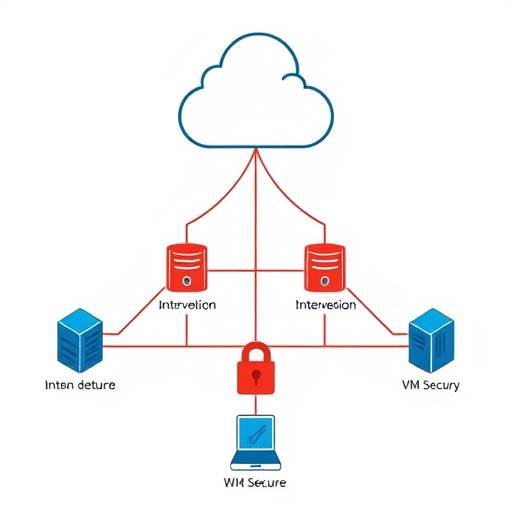
A visual representation of a secure network architecture, showcasing the various layers of protection including firewalls, intrusion detection systems, and network segmentation used to isolate virtual machines.
Securing Virtual Machines
Virtual machines are the foundation of your virtualized environment, and securing them is crucial. Here are some best practices:
- Regular Patching: Keep your VM operating systems and applications up-to-date with the latest security patches. Implement a patch management system to automate this process.
- Minimal Attack Surface: Install only necessary software and services on your VMs to reduce the potential attack surface. Disable or remove unused features.
- Strong Authentication: Enforce strong password policies and consider multi-factor authentication (MFA) for all user accounts on your VMs.
- Antivirus and Intrusion Detection: Install and maintain antivirus software and intrusion detection systems (IDS) on your VMs to detect and prevent malware and unauthorized activity.
- Secure Configuration: Harden your VM configurations by following security benchmarks such as CIS benchmarks. This includes disabling unnecessary services, configuring firewalls, and implementing access controls.
- Regular Backups: Implement a robust backup strategy to ensure you can quickly recover your VMs in case of a security incident or disaster.
- VM Encryption: Encrypt your VM disks to protect sensitive data at rest. Proxmox VE supports various encryption methods.
Network Segmentation
Network segmentation isolates VMs and resources, limiting the impact of a security breach. Consider these strategies:
- VLANs: Use VLANs to separate different types of VMs and network traffic. For example, isolate web servers from database servers.
- Firewalls: Implement firewalls to control network traffic between VLANs and the internet. Configure rules to allow only necessary traffic.
- Private Networks: Create private networks for internal communication between VMs that do not need to be exposed to the internet.
- DMZ: Place internet-facing VMs in a demilitarized zone (DMZ) to isolate them from your internal network.
Access Control
Proper access control is essential to prevent unauthorized access to your Proxmox environment:
- Role-Based Access Control (RBAC): Use Proxmox VE's RBAC system to assign specific permissions to users and groups based on their roles.
- Principle of Least Privilege: Grant users only the minimum necessary permissions to perform their tasks.
- Regular Audits: Conduct regular audits of user accounts and permissions to ensure they are still appropriate.
- Secure Shell (SSH): Secure SSH access by disabling password authentication, using key-based authentication, and limiting SSH access to specific IP addresses.
- Proxmox VE API: Secure access to the Proxmox VE API by using strong authentication and authorization mechanisms.
Hardening the Host System
The Proxmox host system is the foundation of your virtualized environment, so securing it is critical:
- Regular Updates: Keep your Proxmox host system up-to-date with the latest security patches.
- Disable Unnecessary Services: Disable or remove any unnecessary services running on the host system.
- Firewall Configuration: Configure a firewall on the host system to allow only necessary traffic.
- Intrusion Detection System (IDS): Install an IDS on the host system to detect and prevent unauthorized activity.
- Log Monitoring: Monitor system logs for suspicious activity.
- Secure Boot: Enable Secure Boot to prevent unauthorized code from running during the boot process.
- Kernel Hardening: Implement kernel hardening techniques to protect the host system from exploits.
Monitoring Security Events
Continuous monitoring is essential for detecting and responding to security incidents:
- Centralized Logging: Implement a centralized logging system to collect logs from all your VMs and the Proxmox host system.
- Security Information and Event Management (SIEM): Use a SIEM system to analyze logs and detect security incidents.
- Alerting: Configure alerts to notify you of suspicious activity.
- Regular Security Audits: Conduct regular security audits to identify vulnerabilities and weaknesses in your environment.
- Intrusion Detection System (IDS): Implement an IDS to monitor network traffic and system activity for malicious behavior.
Security Policies and Procedures
Establish clear security policies and procedures to guide your security efforts:
- Incident Response Plan: Develop a comprehensive incident response plan to outline the steps to take in case of a security breach.
- Data Breach Notification Policy: Create a policy for notifying affected parties in the event of a data breach, complying with regulations like GDPR.
- Acceptable Use Policy: Implement an acceptable use policy to define the rules for using your virtualized environment.
- Regular Security Training: Provide regular security training to your staff to raise awareness of security threats and best practices.
Example: Implementing Firewall Rules in Proxmox
Proxmox VE allows you to easily manage firewall rules for your VMs. Here's an example of how to create a firewall rule using the Proxmox VE web interface:
- Select the VM you want to configure.
- Go to the "Firewall" tab.
- Click "Add" to create a new rule.
- Specify the source and destination IP addresses, ports, and protocols.
- Choose whether to allow or deny the traffic.
- Click "Create" to save the rule.
For example, you can create a rule to allow SSH access (port 22) from your management network to a specific VM.
Compliance Considerations
Ensure your Proxmox environment complies with relevant industry regulations and standards, such as:
- GDPR: General Data Protection Regulation
- HIPAA: Health Insurance Portability and Accountability Act
- PCI DSS: Payment Card Industry Data Security Standard
- ISO 27001: Information Security Management System
Apex Virtual Solutions is located at 420 Innovation Drive, Suite 100, San Jose, CA 95134. Contact us at (408) 555-0123 or email us at security@apexvirtual.com for assistance in securing your Proxmox virtualization environment. Our security consultant, Dr. Anya Sharma, can help you develop a robust security strategy tailored to your specific needs. Our Chief Security Officer, Mark Olsen, is responsible for maintaining overall security posture and incident response. We also offer training programs led by Professor Emily Carter on virtualization security best practices.