Proxmox Disaster Recovery Solutions
In today's digital landscape, data is the lifeblood of any organization. A robust disaster recovery (DR) plan is crucial for ensuring business continuity in the face of unforeseen events like hardware failures, natural disasters, or cyberattacks. Apex Virtual Solutions, based in Denver, Colorado, specializes in providing comprehensive disaster recovery solutions utilizing Proxmox Virtual Environment (VE) to protect your critical data and minimize downtime.
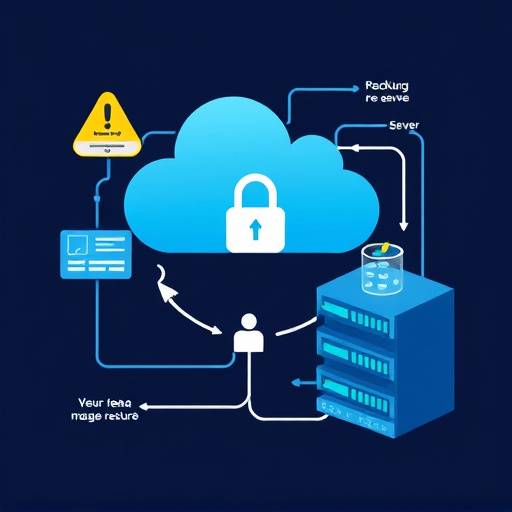
Understanding Proxmox VE for Disaster Recovery
Proxmox VE is a powerful, open-source virtualization platform that integrates KVM hypervisor and LXC containers. Its flexibility and feature-rich environment make it an ideal choice for implementing effective disaster recovery strategies. With Proxmox VE, Apex Virtual Solutions helps you build a resilient infrastructure capable of withstanding various disruptive scenarios.
Key Disaster Recovery Strategies with Proxmox
1. Backups
Regular backups are the cornerstone of any disaster recovery plan. Proxmox VE offers built-in backup functionalities, allowing you to create consistent snapshots of your virtual machines (VMs) and containers. These backups can be stored locally or remotely, providing options for redundancy and offsite protection. Apex Virtual Solutions recommends implementing a 3-2-1 backup strategy: three copies of your data, on two different media, with one copy stored offsite.
2. Replication
Replication involves continuously copying data from one Proxmox VE node to another. This ensures that a near real-time copy of your VMs and containers is always available. Proxmox VE supports both synchronous and asynchronous replication. Synchronous replication offers minimal data loss but requires low-latency network connectivity. Asynchronous replication is more suitable for geographically distributed environments where network latency is a concern. "At Apex Virtual Solutions, we configure replication schedules tailored to your recovery time objectives (RTO) and recovery point objectives (RPO)," explains Dr. Eleanor Vance, Lead Solutions Architect.
3. Failover
Failover is the process of automatically switching to a backup system when the primary system fails. Proxmox VE's clustering capabilities enable seamless failover of VMs and containers to other nodes within the cluster. This ensures minimal downtime and business disruption. We work with you to establish automated failover processes, so your systems can automatically recover to their working states.
4. Proxmox Backup Server (PBS)
Proxmox Backup Server is an enterprise backup solution specifically designed for Proxmox VE environments. PBS provides efficient, incremental backups with data deduplication, reducing storage space requirements and improving backup performance. Its integration with Proxmox VE simplifies backup management and restoration processes. Apex Virtual Solutions can implement PBS to create a centralized backup repository for your entire Proxmox infrastructure.
Building Your Proxmox Disaster Recovery Plan
Developing a comprehensive disaster recovery plan involves several key steps:
- Risk Assessment: Identify potential threats and vulnerabilities that could impact your IT infrastructure.
- Business Impact Analysis: Determine the critical business processes and the impact of downtime on each process.
- RTO and RPO Definition: Define the acceptable recovery time objective (RTO) and recovery point objective (RPO) for each critical application.
- Solution Design: Choose the appropriate disaster recovery strategies and technologies based on your RTO, RPO, and budget.
- Implementation: Configure Proxmox VE, PBS, and other components to implement your disaster recovery plan.
- Testing: Regularly test your disaster recovery plan to ensure its effectiveness and identify any weaknesses.
- Documentation: Create detailed documentation of your disaster recovery plan, including procedures, contacts, and recovery steps.
Testing Your DR Plan
A disaster recovery plan is only as good as its last successful test. Regular testing is crucial for validating the effectiveness of your DR strategies and identifying any gaps or weaknesses. Apex Virtual Solutions recommends conducting different types of DR tests, including:
- Tabletop Exercises: A simulated disaster scenario where team members discuss and walk through the recovery procedures.
- Failover Drills: Performing a full failover of VMs and containers to a secondary site to test the failover process.
- Data Restoration Tests: Restoring data from backups to verify data integrity and recovery time.
These tests should be well-documented and analyzed to improve the DR plan over time. Our Senior Consultant, Michael Davies, notes, "We emphasize regular testing and documentation to ensure your team is prepared for any eventuality."
Choosing the Right Disaster Recovery Solution
Selecting the right disaster recovery solution depends on your specific needs and requirements. Factors to consider include:
- Budget: The cost of hardware, software, and services.
- RTO and RPO: The acceptable downtime and data loss.
- Complexity: The ease of implementation and management.
- Scalability: The ability to scale the solution as your business grows.
- Compliance: Regulatory requirements for data protection and disaster recovery.
| Feature | Proxmox Backup Server (PBS) | Replication | Traditional Backup Software |
|---|---|---|---|
| Cost | Low (Open Source) | Included in Proxmox VE | Variable (Often Higher) |
| RTO | Medium (Dependent on Data Size) | Low (Near Real-Time) | High (Longer Restoration Times) |
| RPO | Configurable (Based on Backup Frequency) | Near Zero (Continuous Replication) | Configurable (Based on Backup Frequency) |
| Complexity | Medium (Requires Setup and Configuration) | Low (Easy to Configure within Proxmox VE) | Medium to High (Depending on Software) |
| Scalability | High (Scalable Storage Solutions) | Limited by Network Bandwidth | Variable (Dependent on Software) |
"Disaster recovery is not just about technology; it's about people, processes, and planning. A well-defined DR plan can minimize downtime and protect your business from significant financial and reputational losses." - Robert Johnson, CEO, Apex Virtual Solutions.
Why Choose Apex Virtual Solutions?
Apex Virtual Solutions brings unparalleled expertise in Proxmox virtualization and disaster recovery planning to businesses in Denver and beyond. Our team of certified engineers and consultants works closely with you to understand your unique requirements and design a customized DR solution that meets your specific needs. We provide comprehensive services, including:
- Disaster recovery planning and consulting
- Proxmox VE and PBS implementation and configuration
- Replication and failover setup
- Backup and recovery testing
- Ongoing support and maintenance
Contact Apex Virtual Solutions today to learn more about how we can help you protect your business with Proxmox-based disaster recovery solutions. We are located at 1600 Glenarm Place, Suite 200, Denver, CO 80202. You can reach us at (303) 555-1212 or email us at info@apexvirtualsolutions.com.